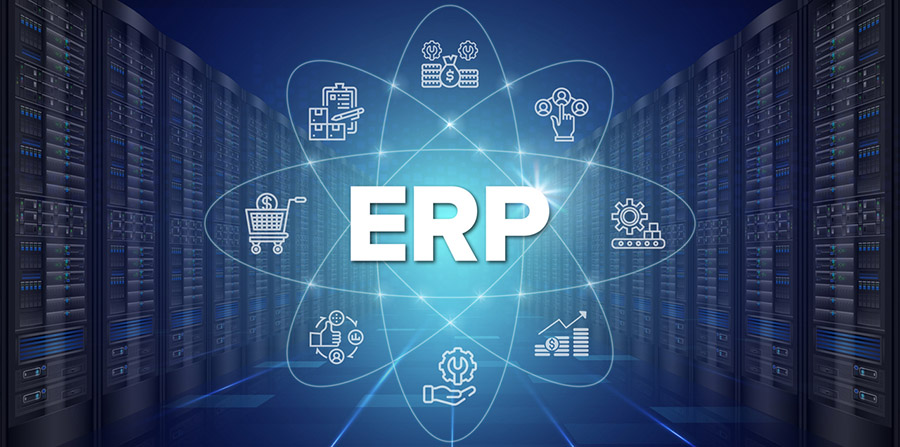
If you are managing multiple departments without a unified system, you might be aware that it leads to massive inefficiencies, data silos, and costly communication breakdowns. As businesses scale, the need for a “single source of truth” becomes undeniable. This is where Enterprise Resource Planning (ERP) software steps in. An ERP is a suite of integrated applications that manage core business processes—from accounting and HR to supply chain and sales—under one digital roof. However, an ERP isn’t just a flat collection of tools; it is structured in specific layers that mirror a company’s growth. In this ERP guide, we’ll break down how many levels an ERP system includes and why they matter for your business.
What Do “Levels” Mean in an ERP System?
Before diving in, it is vital to clarify a common point of confusion: levels are not the same as modules. While modules refer to specific functional areas (like Finance or Manufacturing), “levels” refer to the organizational hierarchy and the system architecture that governs how data is processed and used.
Think of levels as the “who” and “how” of the software. They represent the different stages of data interaction, from a warehouse worker scanning a barcode to a CEO reviewing a five-year growth forecast. While different technical experts may define these levels with slight variations, the core concept remains the same: an ERP must serve every tier of a business to be effective.
Main Levels of an ERP System
To understand the ERP hierarchy explained, we must look at the three primary stages of organizational use. Most modern systems are designed to cater to these three distinct tiers.
3.1 Operational Level (Day-to-Day Execution)
The Operational Level is the foundation of the ERP system. It is primarily used by front-line employees who handle the “heavy lifting” of daily business activities. This level is all about transactions and data entry.
- Who uses it: Warehouse staff, sales associates, customer service reps, and administrative assistants.
- Key Functions: Processing sales orders, updating inventory counts, logging hours for payroll, and recording procurement receipts.
- The Goal: To ensure that every physical action in the business is captured digitally in real-time. Without a robust operational level, the data flowing upward to management will be inaccurate or delayed.
3.2 Tactical Level (Department Management)
Once data is captured at the operational level, it flows into the Tactical Level. This is where middle management resides. Here, the focus shifts from individual transactions to monitoring and reporting.
- Who uses it: Department heads, HR managers, and Finance directors.
- Key Functions: Generating monthly financial reports, tracking team KPIs, managing department budgets, and identifying bottlenecks in production.
- The Goal: To ensure that the department is hitting its targets. For example, a tactical user might look at an ERP report to see if the “Days Sales Outstanding” (DSO) is increasing, signaling a need for better collections.
3.3 Strategic Level (Executive Decision-Making)
At the top of the pyramid is the Strategic Level. This level is designed for high-level oversight and long-term planning. It relies on the data aggregated from the lower levels but presents it through sophisticated visualizations.
- Who uses it: CEOs, CFOs, Board Members, and Business Owners.
- Key Functions: Market forecasting, trend analysis, risk management, and overall business health dashboards.
- The Goal: To make data-driven decisions about the company’s future. If the ERP shows a consistent 10% increase in demand in a specific region, the strategic level users use this insight to decide on opening a new branch or warehouse.
ERP System Architecture Layers
Beyond the organizational levels, an ERP also has a technical structure. Understanding these types of ERP levels from a technical perspective helps you understand how the software actually works behind the scenes.
- Presentation Layer: This is the User Interface (UI). It’s what you see on your computer screen or mobile app. It’s the dashboard, the buttons, and the forms you fill out.
- Application Layer: Often called the “Business Logic,” this is the brain of the ERP. It processes the data according to company rules (e.g., “If an order is over $5,000, require manager approval”).
- Database Layer: This is the storage room. It is a central repository where all the company’s historical and current data is securely kept, ensuring that information from the warehouse is instantly available to the accounting office.
Why These Levels Matter for Your Business
Understanding these levels is more than just academic—it’s a prerequisite for a successful implementation. Without a clear understanding of the ERP system levels, companies often misuse the software. For instance, they might try to force a CEO to look at operational data, leading to “information overload,” or they might fail to give operational staff the right tools to enter data quickly, leading to “bad data” at the top.
By respecting this hierarchy, you ensure:
- Better Decision-Making: Executives get insights, not just raw data.
- Clear Accountability: Every employee knows which “level” they are responsible for maintaining.
- Improved Efficiency: Information flows seamlessly from the loading dock to the boardroom.
How to Choose an ERP Based on These Levels
When shopping for an ERP, don’t just look at the price tag. Evaluate it based on how it handles these tiers:
- Role-Based Access: Can the system hide complex strategic dashboards from operational staff while giving managers the specific reports they need?
- Strong Reporting: Does it offer automated reporting for the tactical level?
- Scalability: Can the database layer handle your data volume as you grow from 10 employees to 1,000?
Summary Table
| Level | Users | Purpose |
| Operational | Staff/Clerks | Day-to-day transactions and data entry |
| Tactical | Middle Management | Performance monitoring and departmental reporting |
| Strategic | Executives/Owners | Long-term planning, forecasting, and insights |
Conclusion
An ERP system typically includes three main levels: the Operational, Tactical, and Strategic. Together, they create a cohesive environment where data is captured, analyzed, and used to drive growth. Understanding these levels helps you implement ERP more effectively, ensuring that every member of your team has the right information at the right time.
Are you ready to streamline your operations? Explore the best ERP tools for your business and start building your foundation for success today.