
Small manufacturers often struggle with stock shortages and costly overstocking. Manual tracking leads to errors that disrupt the shop floor. Spreadsheets may work initially, but they fail as business complexity grows. You also cannot rely on memory or paper records as they create bottlenecks and limits your potential. But adopting a dedicated inventory management software is the most effective way to regain control over your business. This transition can eliminate guesswork and stabilize your supply chain. In this guide, you’ll discover the best inventory management software for small manufacturing businesses available today. We will help you choose the right solution for your specific operational needs.
What Is an Inventory Management Software?
Inventory management software is a digital solution that tracks and optimizes your stock levels. For manufacturers, this goes beyond simple retail counting. It can monitor raw materials, work-in-progress (WIP), and finished goods simultaneously. These inventory management softwares acts as a centralized database for every component in your facility. It provides real-time visibility into what you have and what you need. By connecting your warehouse to your production line, it ensures data accuracy. This technology replaces manual logs with automated, reliable data streams.
Why Small Manufacturing Businesses Also Need Inventory Management?
Production efficiency depends entirely on material availability. One missing component can halt an entire assembly line. This “stockout” leads to idle labor and delayed customer orders. Conversely, excess inventory ties up essential working capital and increases storage costs. These software for business improves production planning by forecasting exactly what is required for each job. It synchronizes purchasing, production, and sales departments seamlessly.
Operational Example: Imagine a manufacturing facility runs out a raw material unexpectedly. It will lead to stopped production immediately, and delivery dates will be missed. An inventory management software prevents this by alerting you in advance.
Features of an Ideal Inventory Management Software
To ensure a successful inventory management, your chosen software must include specific manufacturing-focused capabilities:
- Real-time Inventory Tracking: Able to view current stock levels across multiple locations instantly.
- Bill of Materials (BOM) Management: Could be able to tell the exact “recipe” of components for every finished product.
- Stock Alerts: Notify staff when items hit a predefined reorder point.
- Barcode Scanning: Use mobile devices to speed up receiving and picking processes while reducing errors.
- Supplier Management: Track lead times and performance for all your material vendors.
- Reporting and Analytics: Generate insights on high-performing products and inventory turnover rates.
- ERP/Accounting Integration: Sync your inventory data directly with tools like QuickBooks or Xero.
Best Inventory Management Software for Small Manufacturers
Choosing the right platform depends on your unique workflow. Here are the top contenders:
Odoo
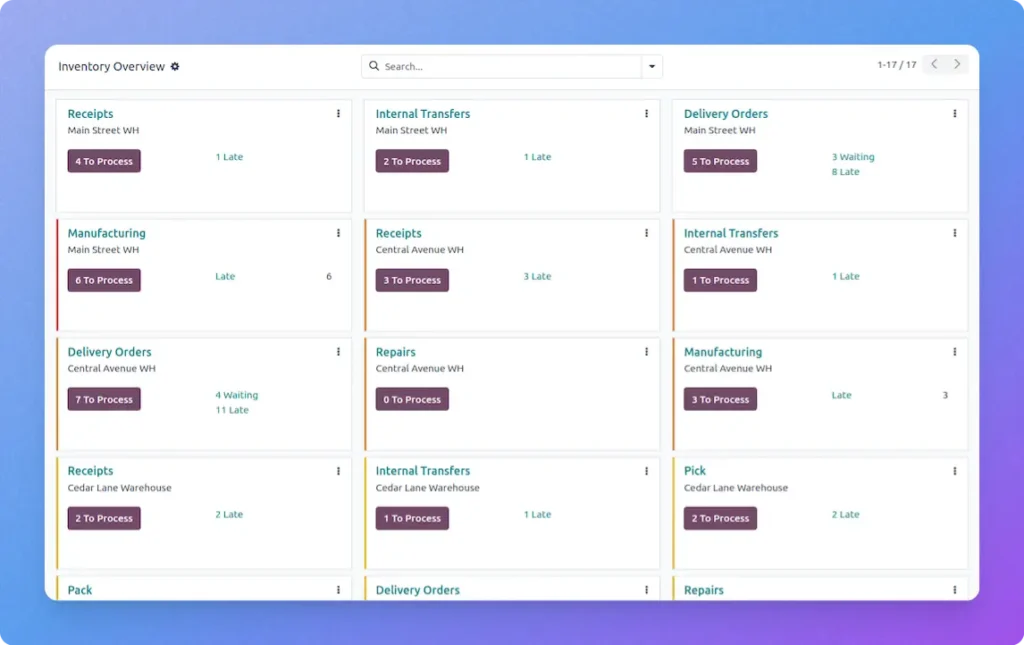
Odoo is a comprehensive, open-source suite of business software with a modular design. It is highly customizable which makes it perfect for unique manufacturing processes. Its strength lies in its ability to scale as your company grows. Odoo’s Inventory has a double-entry management system designed to eliminate stock inconsistencies and optimize warehouse performance. It provides businesses with real-time visibility across multiple locations, utilizing smart “putaway” and “removal” rules to automate product routing. From managing raw materials for subcontractors to coordinating complex cross-docking and drop-shipping routes, Odoo synchronizes every movement with your accounting and sales data. Its role-based dashboards prioritize tasks based on deadlines, ensuring timely fulfillment. Odoo transforms traditional warehousing into a lean, data-driven operation by integrating barcode scanning and automated replenishment alerts.
Core Features
- Advanced Routing: Supports cross-docking, drop-shipping, and customizable push/pull rules.
- Smart Replenishment: Automated RFQs and reordering rules based on forecasted demand.
- Full Traceability: Granular tracking of lots and serial numbers from vendor to customer.
- Warehouse Productivity: Barcode-enabled operations for picking, packing, and stock counts.
- Inventory Valuation: Real-time landed costs and perpetual accounting integration.
- Quality Control: Integrated inspection points at reception, returns, or production.
Top Pros
- Highly Integrated: Seamlessly connects with Sales, Purchase, and Accounting apps.
- Operational Speed: Reduces processing time through batch, wave, and cluster picking.
- Financial Accuracy: Provides a precise “single source of truth” for inventory valuations.
- User Empowerment: Features an intuitive customer portal for tracking and returns.
Zoho Inventory
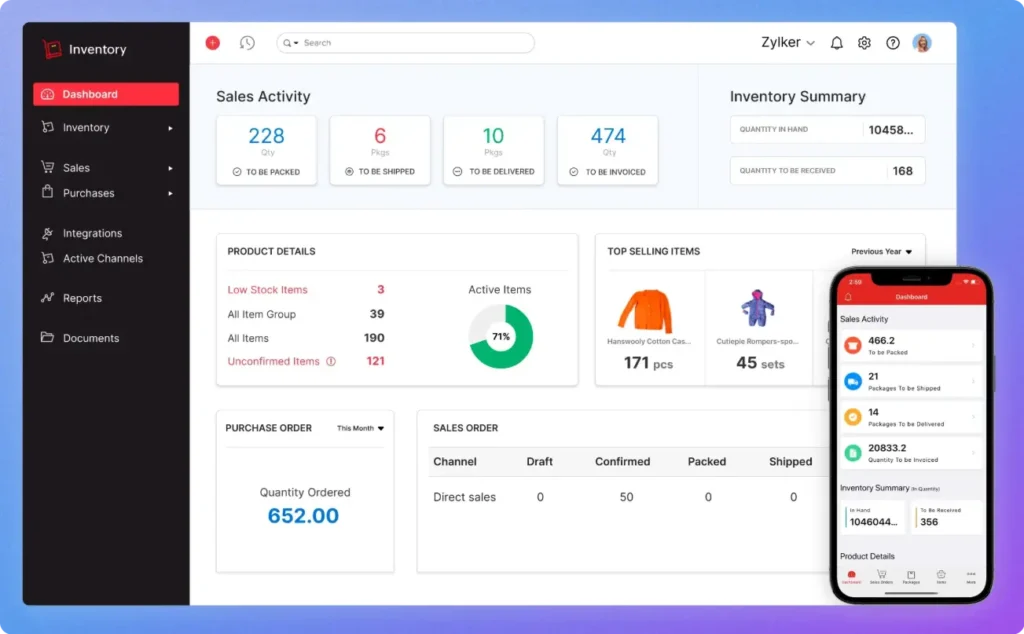
This is a user-friendly, cloud-based tool designed for growing businesses. It offers excellent multi-channel selling features and basic manufacturing modules. It is a cost-effective choice for those prioritizing ease of use. Zoho Inventory is a powerful, cloud-based solution offering seamless compliance with GST regulations alongside robust operational tools. It serves as a centralized hub for MSMEs and large corporations to manage the entire lifecycle of a product, from procurement and multi-warehouse storage to final sales and shipping. The software excels at synchronizing multi-channel sales—such as Shopify or Etsy—with real-time stock levels, ensuring that businesses never oversell. By integrating deeply with the Zoho ecosystem and local payment gateways like Razorpay, it provides a “quote-to-cash” workflow that simplifies complex financial and logistical tasks into a single, automated process.
Core Features
- GST-Compliant Billing: Handles tax-compliant invoices, bills, and financial records automatically.
- Multi-Warehouse Management: Controls stock movements and transfers across different godowns or locations.
- Serial & Batch Tracking: Monitors individual items, spare parts, and expiry dates for high-precision tracking.
- Integrated Order Management: Centralizes sales, purchases, packaging, and shipping status in one dashboard.
- Barcode Compatibility: Supports various scanners to quickly add SKUs and process orders.
- Extensive Integrations: Connects with Zoho CRM, Zoho Books, and global e-commerce platforms.
Top Pros
- Market-Specific Design: Specifically optimized for Indian business requirements and tax laws.
- Operational Visibility: Offers comprehensive reporting on inventory aging and valuation.
- Seamless Scalability: Supports businesses ranging from small startups to large-scale enterprises.
- Efficiency Boost: Automates repetitive manual tasks to ensure on-time deliveries and accurate payments.
QuickBooks Commerce
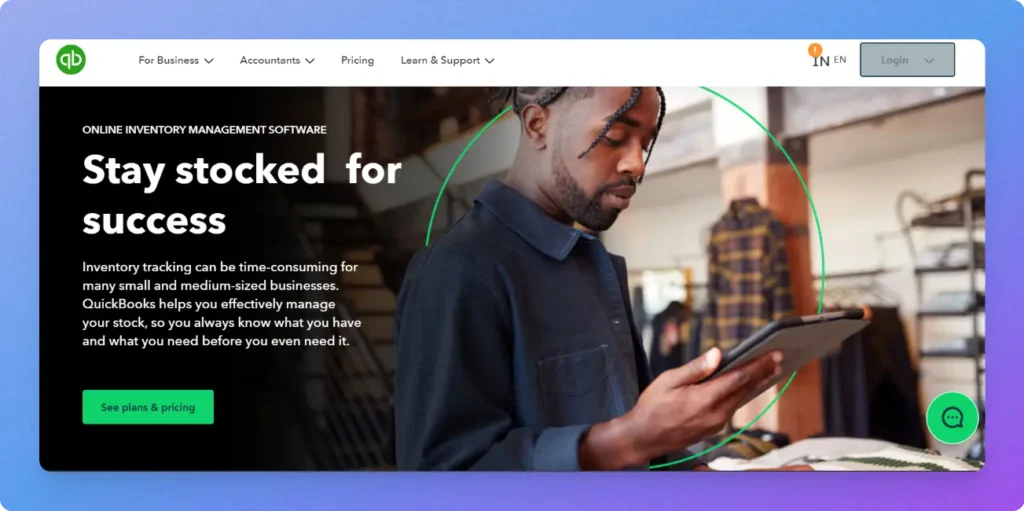
Best for businesses already using QuickBooks for their accounting. It provides a unified view of sales and inventory across various platforms. The primary benefit is the seamless financial integration it provides. QuickBooks offers a specialized inventory management solution primarily aimed at small to medium-sized businesses that need to balance operational stock control with precise financial accounting. Rather than functioning as a standalone logistics tool, it acts as an extension of the QuickBooks accounting suite, ensuring that every stock movement—from a purchase order to a final sale—is reflected in the company’s balance sheet in real time. The software is particularly effective for businesses that require a “single source of truth” for their COGS (Cost of Goods Sold) and inventory valuation. With features like automated low-stock alerts and multi-channel synchronization, it helps prevent stockouts while maintaining healthy cash flow by identifying slow-moving items.
Core Features
- Real-Time Valuation: Automatically updates inventory assets and COGS on financial statements as stock moves.
- Multi-Channel Sync: Centralizes inventory from various sales platforms like Shopify, Amazon, and eBay.
- Automated Purchase Orders: Generates POs when stock hits predefined reorder points to maintain consistency.
- Landed Cost Tracking: Factors in shipping, duties, and insurance to determine the true cost of items.
- Mobile Inventory Access: Allows users to scan barcodes and update stock counts directly via the mobile app.
- Inventory Aging Reports: Provides insights into how long stock has been sitting to help optimize storage.
Top Pros
- Data Integrity: Minimizes double-entry errors by automating the flow of data across the business.
- Financial Alignment: Eliminates the need for manual reconciliation between warehouse logs and accounting books.
- User-Friendly Interface: Built with the familiar QuickBooks UX, significantly reducing the team’s learning curve.
- Centralized Operations: Manages sales, vendors, and stock levels from one unified dashboard.
How to Choose the Right Software?
Selecting an inventory management system requires a clear understanding of your current gaps. First, define your budget for both software and implementation. Consider the complexity of your manufacturing process; do you need multi-level BOMs? Ensure the software integrates with your existing accounting or CRM tools. Ease of use is critical for staff adoption on the shop floor. Avoid systems that require extensive coding if you lack IT resources. Always request a demo to test the interface with your own data.
Benefits of Using Inventory Software
The primary advantage is a significant reduction in human error. Automation saves hours of manual data entry every week. With better demand forecasting, you can reduce the “safety stock” you keep on hand. This frees up cash for other areas of business growth. Real-time insights allow you to make decisions based on facts rather than intuition. Your team becomes more efficient because they spend less time searching for parts. Ultimately, it leads to higher customer satisfaction through consistent, on-time deliveries.
Common Mistakes to Avoid
Many businesses buy overly complex software that their team never fully uses. Do not ignore scalability; ensure the tool can handle more volume later. Skipping staff training is a recipe for system failure. Data is only useful if it is entered correctly by your team. Furthermore, do not focus solely on the initial price. Consider the long-term value and the cost of maintaining the system.
Conclusion
Effective inventory software is essential for modern manufacturing growth. It streamlines your operations and significantly reduces overhead costs. By centralizing your data, you empower your team to work faster and smarter. Explore the tools listed above to find the perfect fit. Start your transition today to ensure your business remains competitive and efficient.