The best construction ERP software depends on your operational scale and project complexity. Most general ERP systems are not suitable to manage job costing, certified payroll, lien waiver management, and real-time equipment tracking in construction.
A study by McKinsey & Company states that construction projects typically take 20% longer to finish than scheduled and are up to 80% over budget. Implementing integrated digital platforms and real-time job-cost ERP systems can increase overall construction productivity by 14–15% and lower bottom-line project costs by 4–6%.
CMiC and Acumatica lead in the comparison for the best suited ERP softwares for the construction industry. While CMIC is dedicated to only the construction industry, Acumatica has a Construction Edition that also offers the most flexible cloud accounting and all other features for contractors and other Sub-contractors.
⭐ Check out our list of all ERP systems here for better discovery. ⭐
Below, I have listed the top platforms by core modules, integration capabilities, and deployment timelines to help you identify the right fit.
Quick Comparison of the Best Construction ERP software
 CMiC |
 Accumatica |
 SAP |
 Foundation Soft. |
|---|---|---|---|
| Construction dedicated | Suited for every construction entity | Suits for large scale and multiple entity record keeping | For construction accounting & record keeping |
| On site and Cloud server options | Charges on consumption-based model | End-to-End Controls | Support multi state & multi payroll records |
| Best for firms with $100M+ revenue | Best for mid-sized growing contractors | AI-powered analytics | Supports third party integrations |
CMiC: Best All-in-One ERP for Enterprise Contractors
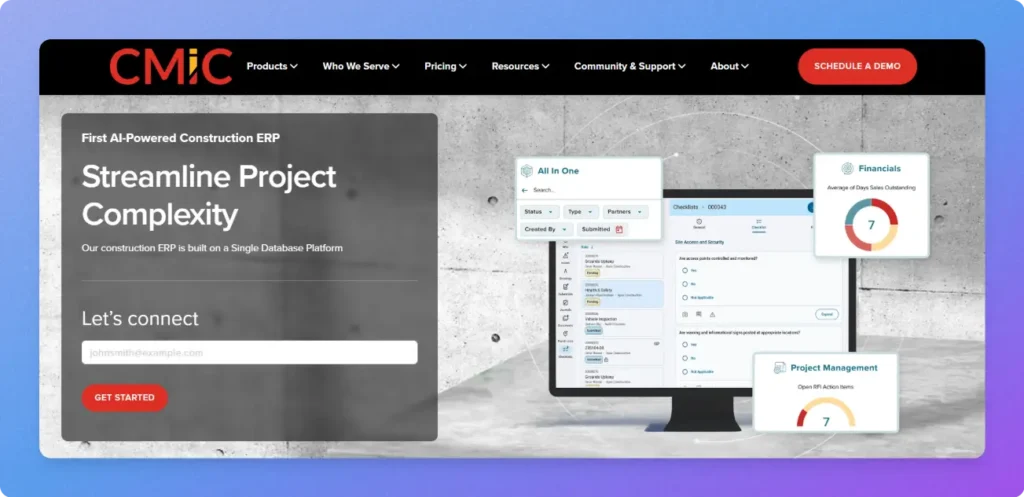
CMiC is an enterprise-grade ERP built for large general contractors, civil engineering firms, and specialty trades with $100M+ annual revenue. Its key differentiator is a single-database architecture for field operations, project controls, and corporate financials written to the same database in real time, eliminating third-party sync errors.
Key Features
- Construction Accounting & Job Costing: It can efficiently automate real-time Work-in-Progress (WIP) reporting, AIA billing (G702/G703), and automated subcontractor retainage tracking.
- Complex Construction Payroll: You can natively manage multi-union wage tables, prevailing wages, and certified payroll reporting across multiple tax jurisdictions.
- Real-Time Project Controls: Field changes, purchase orders, and subcontracts are immediately updated in the general ledger and committed cost forecasts upon approval.
- Subcontractor Compliance: This feature streamlines bid leveling, vendor prequalification, and lien waiver collection prior to payment releases.
- Deployment Choice: It offers options to whether use a dedicated SaaS cloud solution or on premise hosting.
Best For: Established, growing commercial contractors
Acumatica: Best ERP for Mid-Market Contractors & Subcontractors
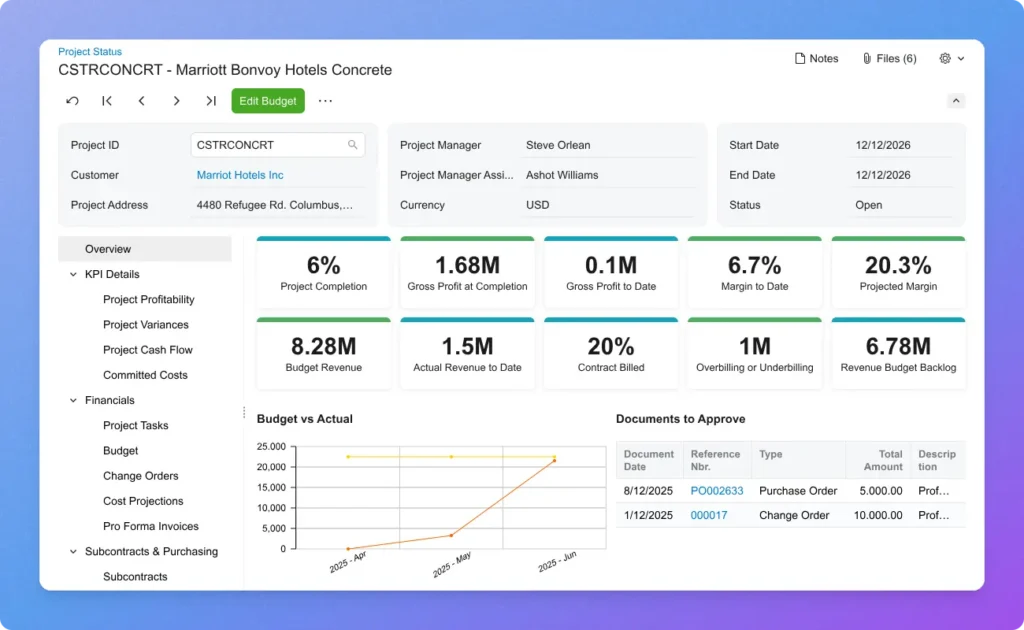
Acumatica Construction Edition is a modern, native-cloud ERP engineered for mid-sized growing general contractors, specialty contractors, subcontractors, home builders, property developers, and construction service companies. Its primary differentiator is a consumption-based pricing model with unlimited user seats, enabling back-office accountants, field supervisors, and external subcontractors to collaborate without per-user licensing penalties.
Key Features
- Advanced Job Costing & Billing: This offers high level real-time Work-in-Progress (WIP) tracking, AIA-compliant progress billing (G702/G703), and automated subcontractor retainage workflows.
- Open API Architecture: It can seamlessly connect with other industry solutions, including Procore, ProEst, Autodesk Construction Cloud, and DocuSign.
- Native Construction Payroll: Manages certified payroll reporting, union benefit packages, prevailing wages, and multi-state tax compliances out of the box.
- Mobile Field Management: Being the top software it can capture daily field reports, punch items, change order requests, and time cards in real time via iOS and Android apps.
- Multi-Entity Consolidation: In case of multiple company transactions, shared vendor accounts, and centralized reporting can also be achieved across multiple business entities without additional add-on fees.
Best for: Small-to-midmarket general contractors, specialty trade contractors, land developers, and home builders
SAP for Construction and Real Estate
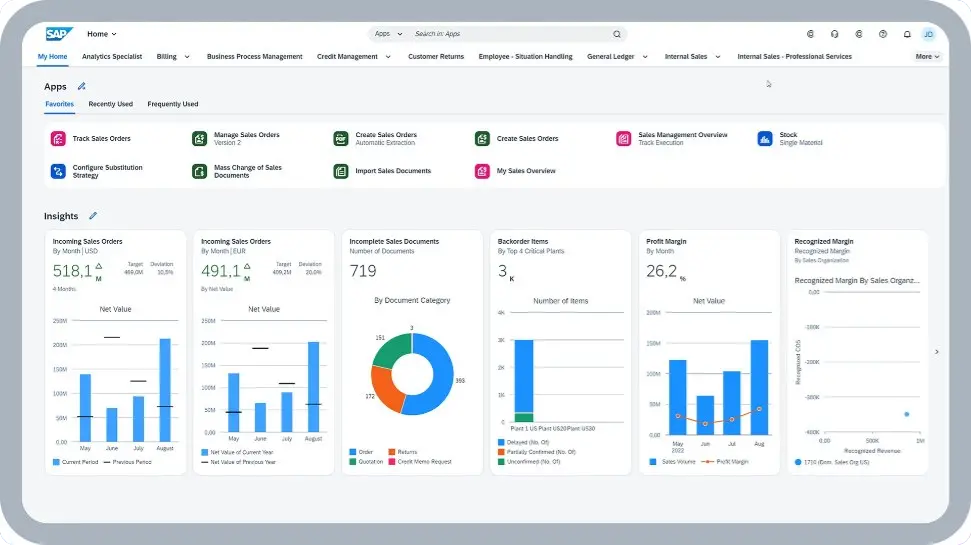
SAP is one of the most prominent ERP software in its niche. It provides an enterprise-grade cloud ERP platform to almost every industry. The construction version from SAP is engineered specifically for large-scale engineering, construction, and operations (EC&O) firms. It perfectly connects on-site job operations to corporate financials, global procurement networks, and long-term asset management. SAP serves as a powerful single platform for managing complex commercial, civil, and infrastructure projects.
- End-to-End Controls: It links project estimating, work breakdown structures (WBS), committed costs, and real-time WIP accounting directly to the core general ledger for granular margin visibility.
- Smart Supply Chain & Equipment Logistics: This feature streamlines materials procurement, manages off-site prefabrication schedules, and tracks heavy machinery utilization across multi-site job operations.
- Intelligent Insights & Digital Twin Support: The platform uses an AI-powered analytics, IoT field sensors, and Building Information Modeling (BIM) data to predict schedule risks, track cash flows, and manage post-construction facility operations.
Best for: Enterprise general contractors, multinational civil engineering firms, and large real estate developers
Also Read: How Custom ERP Improves Distribution and Logistics Operations?
Foundation Software – Best for Account Keeping for Construction Firms
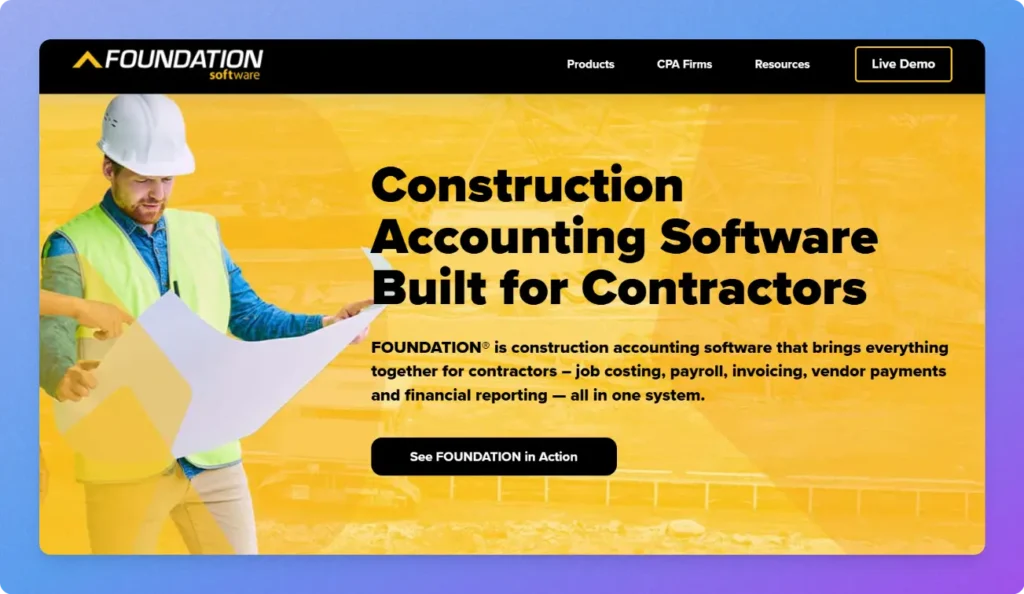
It is a specialized construction accounting and job costing platform built for commercial subcontractors, general contractors, and heavy trades. As it is engineered from the ground up for the construction industry, it eliminates various bottlenecks like payroll and compliance that creates problems due to lack of smooth data integration from onsite premises with back office.
- Construction-Specific Accounting & Certified Payroll: The software automates complex union reporting and multi-state/multi-rate payroll alongside AIA-style progress billing and real-time WIP job costing.
- Integrated Field-to-Office Tracking: Features mobile time tracking, daily logs, PO and subcontract management, and equipment cost tracking to capture labor and material expenses directly from the job site.
- Modular Ecosystem & Custom Reporting: It also supports third party integrations with dedicated estimating tools (such as The EDGE and McCormick), ProjectHQ, and custom reporting via DataGenie to give project managers instant financial visibility.
Best For: Small to mid-sized trade contractors, specialty subcontractors, and civil builders
How Much Does Construction ERP Software Cost?
Construction ERP software does not follow a fixed, off-the-shelf price tag. Because construction workflows vary drastically between a trade subcontractor and a multinational general contractor, vendors tailor pricing to your business structure rather than offering flat-rate packages.
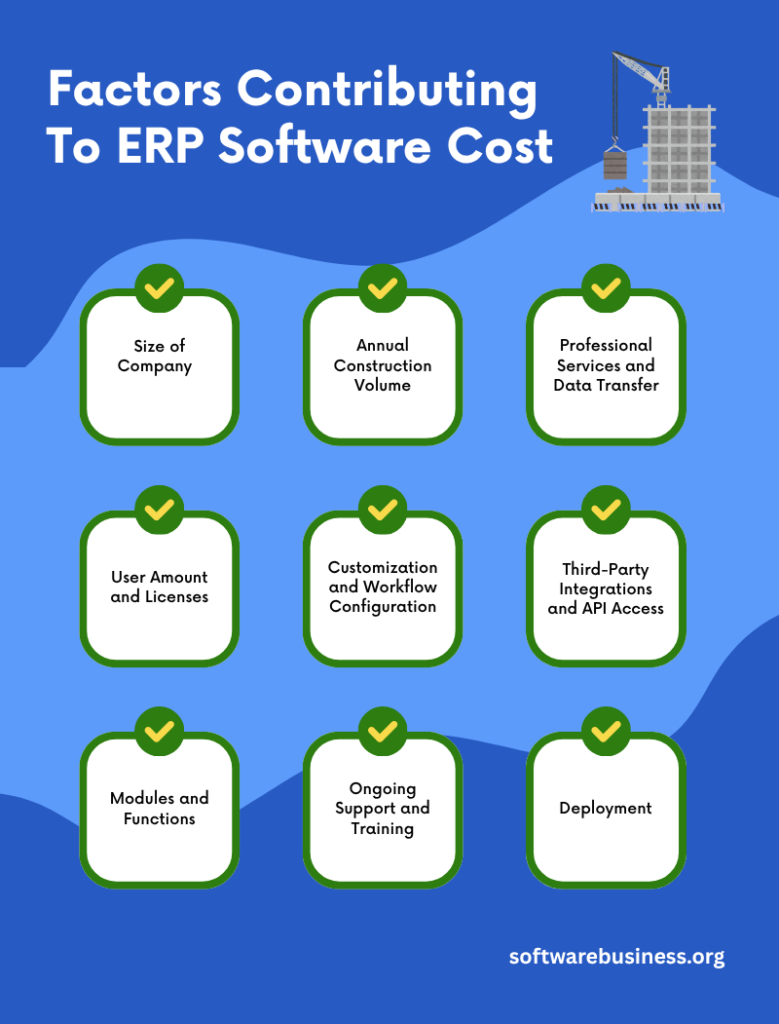
As ERP software has so much to offer, the total cost of ownership in any industry depends on the below several core variables.
Size of Company and Annual Construction Volume: The larger your gross annual contract amount is, the larger the tier level of the base platform will be.
User Amount and Licenses: If you use platforms that work on the seat-based pricing model, the cost will depend on the user tier level distribution and feature sets.
Modules and Functions: Special modules like certified payroll, unit pricing billing, bid management, and service dispatch increase the scope of functions of the software and hence the subscription fee.
Deployment: Cloud-based ERPs are priced annually or for multiple years while on-premises ERPs require one-time payment of the perpetual license, server infrastructure, internal management of IT department, and annual maintenance.
Professional Services and Data Transfer: The implementation of the ERP is costly because it involves lots of professional services: chart of accounts redesigning, historical job cost data transfer, database configuration, and training.
Customization and Workflow Configuration: If your operations require bespoke WIP reporting formats, custom approval matrices, or specialized AIA progress-billing templates, custom development will increase project costs.
Third-Party Integrations and API Access: Connecting your ERP to digital takeoff tools (e.g., PlanSwift, The EDGE), BIM platforms (Autodesk Revit), or external scheduling software (Primavera P6) may require paid integration connectors or premium open-API tiers.
Ongoing Support and Training: While basic ticketing or community support is standard, guaranteed response-time SLAs, dedicated customer success managers, and ongoing staff training certifications often fall under higher-tier, paid support tiers.
Also Read: How Many Levels an ERP System Include?
Conclusion
Selecting the right construction ERP ultimately depends on your project scale, operational complexity, and the specific trades you manage.
If your priority is specialized contractor accounting, union compliance, and certified payroll, Foundation Software delivers the dedicated job-costing power trade subcontractors need. For mid-to-large general contractors seeking a single source of truth between the job trailer and the finance office. CMiC’s single-database architecture prevents operational disconnects and profit fade without requiring complex third-party bridges. Meanwhile, multinational civil engineering firms and large real estate developers managing global supply chains and complex infrastructure require the sheer multi-entity governance, BIM integration, and enterprise-grade intelligence of SAP for Construction. By matching your specific workflow bottlenecks to the platform built for your contractor tier, you safeguard your project margins from initial estimates all the way through project handover.