
Pipedrive is a widely recognized sales-focused CRM for moving leads through a visual pipeline. Rather than being an all-in-one platform for marketing, support, and accounting, it focuses on activity-based selling by ensuring every open lead has a scheduled next action.
The USP of Pipedrive CRM emerges at peak season when sales teams realize that their high-performing teams are closing deals completely disconnected from back-office inventory, manufacturing, and financial tracking systems. Even after that, traditional CRMs adoptions are sometimes very complicated to use, especially by beginners.
In this guide, I will explain to you mostly everything about this awesome CRM which is currently loved by sales professionals.
What is Pipedrive CRM?
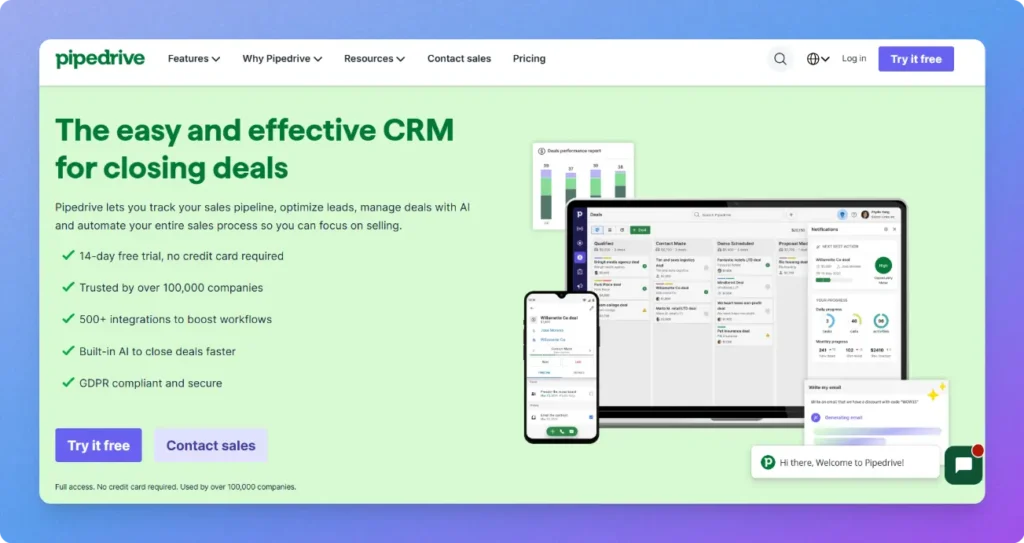
Pipedrive is a cloud-based Customer Relationship Management (CRM) platform designed specifically to eliminate internal friction among sales teams. The entire platform functions around a highly visual, drag-and-drop Kanban pipeline interface. Unlike bloated enterprise platforms attempts to handle everything like marketing, customer support, and backend accounting simultaneously. Pipedrive focuses only on activity-based selling.
In our hands-on evaluation of the tool, this specialized approach ensures sales professionals spend less time typing status updates and more time moving deals toward completion. It achieves this by forcing a clear next action for every open lead.
It was founded in 2010, in Tallinn, Estonia, by a team of five co-founders. They were experienced sales consultants who launched the platform out of direct frustration with the enterprise software landscape of the time.
Also Read: How to Deploy Odoo on Hetzner in Under 30 Minutes? (The Easiest Way)
Key Features of Pipedrive CRM
Sales Pipeline Management
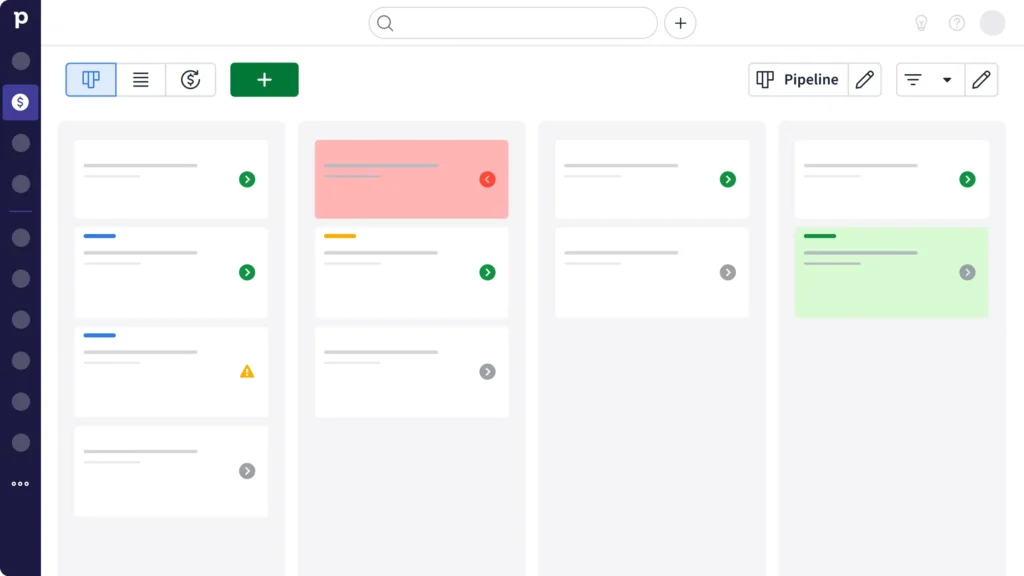
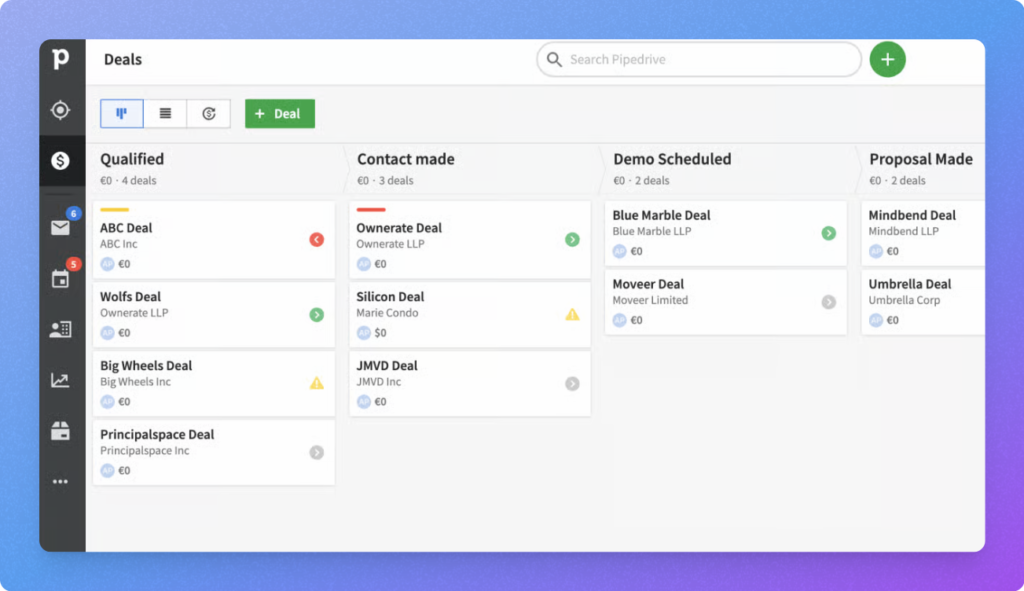
Pipedrive organizes your sales cycle into a visual Kanban board style. It allows reps (sales people) to drag and drop deals across custom stages to make updates. Due to the clear layout, deals can not stay idle for long because users can spot stalled conversations instantly. Multiple pipelines can be created easily to manage distinct product lines or separate sales teams without cluttering the interface.
Lead Management
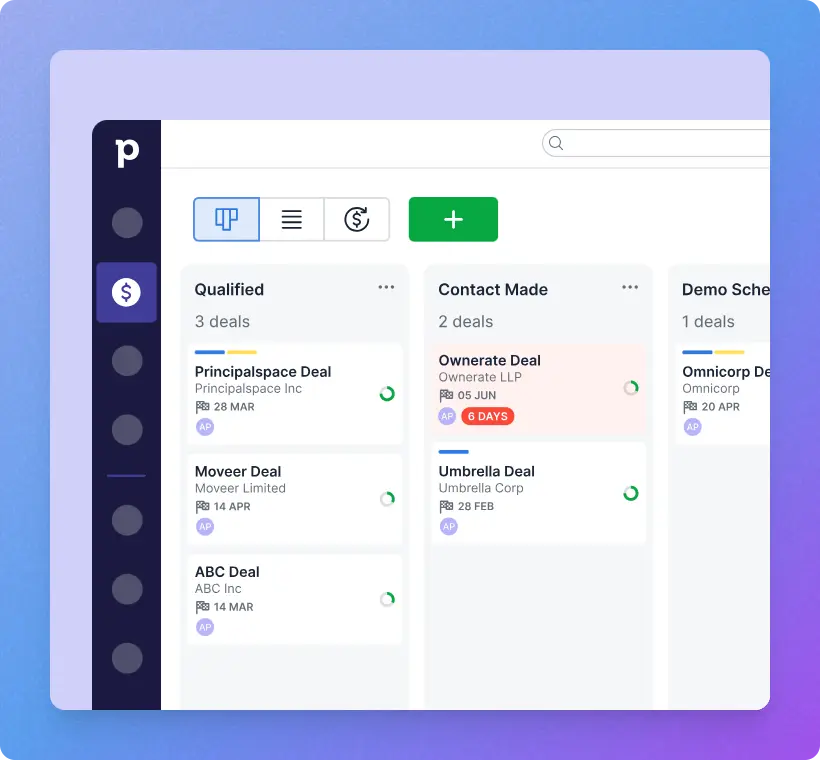
The platform features a dedicated Lead Inbox to separate fresh, unverified inquiries from your active sales pipeline. Leads can be automatically captured through customizable web forms, live chat widgets, or chatbot integrations. Users can store incoming leads in Leads Inbox before they are ready to decide whether to qualify or perform any other action on them. This separation by lead management software prevents early-stage cold leads from inflating your pipeline data, keeping your active forecasting metrics clean and accurate.
Contact and Customer Management
Pipedrive acts as a centralized record for every client interaction, linking people, organizations, and their associated deals. Every timeline view shows a complete chronological history of emails, call logs, notes, and past activities held with client. The system allows for extensive custom field creation, meaning you can easily track industry-specific customer data points.
Email Integration
The platform offers email tracking and communication feature with full two-way email sync with major providers like Gmail and Microsoft Outlook, letting you send messages directly from the CRM. It includes customizable email templates, open tracking, and link-click notifications that alert reps in real time. We found this native tracking particularly valuable for timing follow-up calls immediately after a prospect opens a proposal.
Workflow Automation
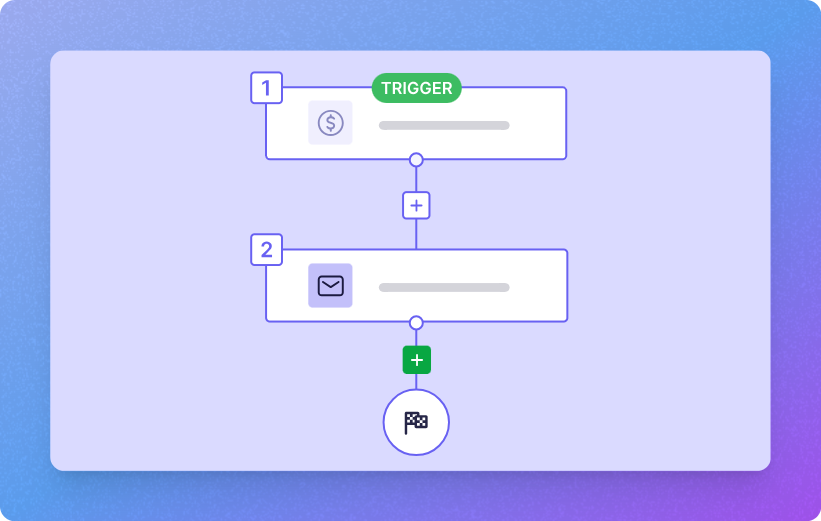
Pipedrive’s built-in automation builder reduces administrative overhead by handling repetitive tasks based on custom triggers. For example, when a rep moves a deal to a new pipeline stage, the system can automatically create a follow-up task or send a personalized email. This capability eliminates manual data entry, allowing small sales teams to scale their daily outreach efforts.
Reporting and Analytics
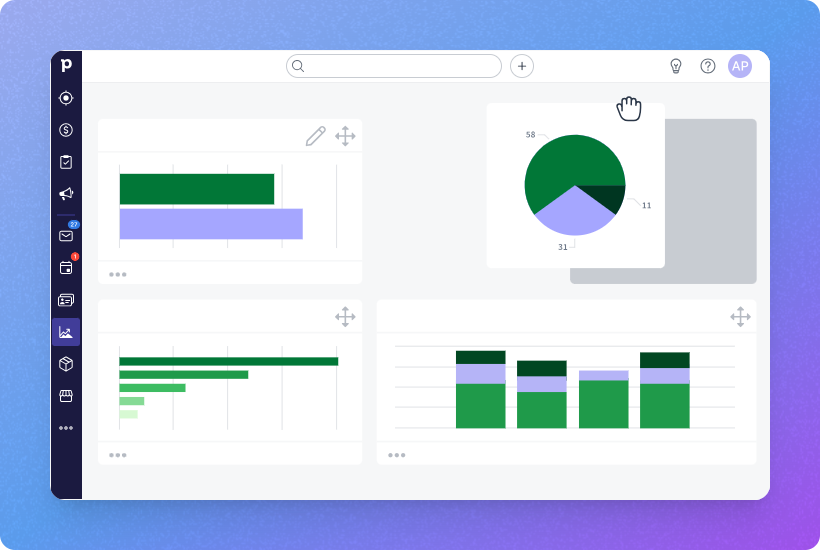
The customizable dashboard and reporting system track key metrics like conversion rates, sales velocity, and individual rep performance. Users can build tailored visual charts to forecast monthly revenue based on deal probabilities and historic win rates. It gives leadership clear visibility into where prospects drop off, helping teams optimize their overall sales strategy.
Activity and Task Management
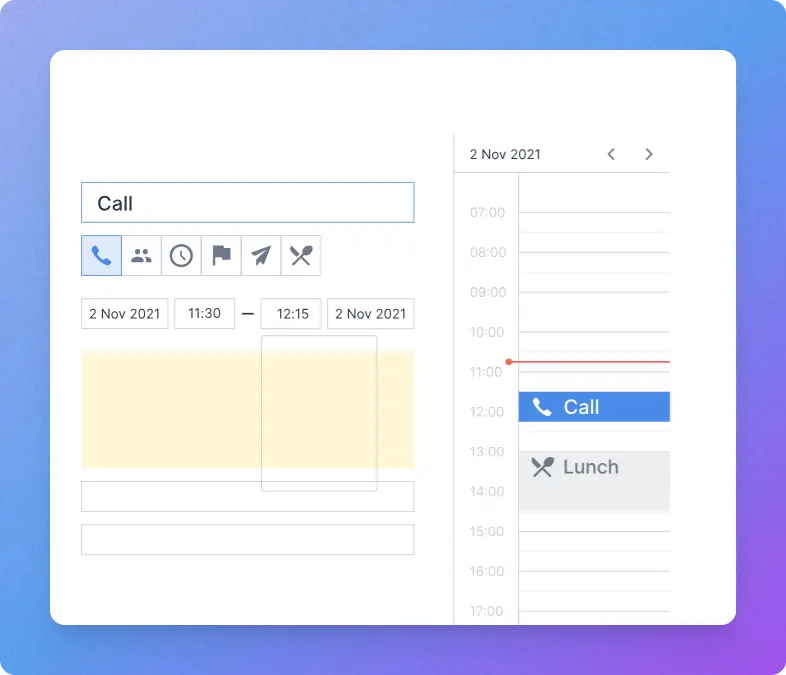
The software centers heavily around activity-based selling, ensuring that every active deal is permanently linked to an upcoming task, call, or meeting. Its calendar view syncs bi-directionally with Google Calendar and Outlook to prevent scheduling conflicts. If a deal has no scheduled next step, the system highlights it with a warning icon to prompt immediate action.
Mobile Access
The native iOS and Android mobile apps provide field sales teams with full access to their pipelines, contacts, and deal histories on the go. The app features built-in audio note recording, nearby client mapping, and offline synchronization capabilities. This ensures that reps traveling for meetings can log interaction details immediately after a site visit while the context is fresh.
Also Read: odoo vs ZOHO CRM: What You Didn’t Knew Till Now?
How Pipedrive CRM Works?
Capturing Leads
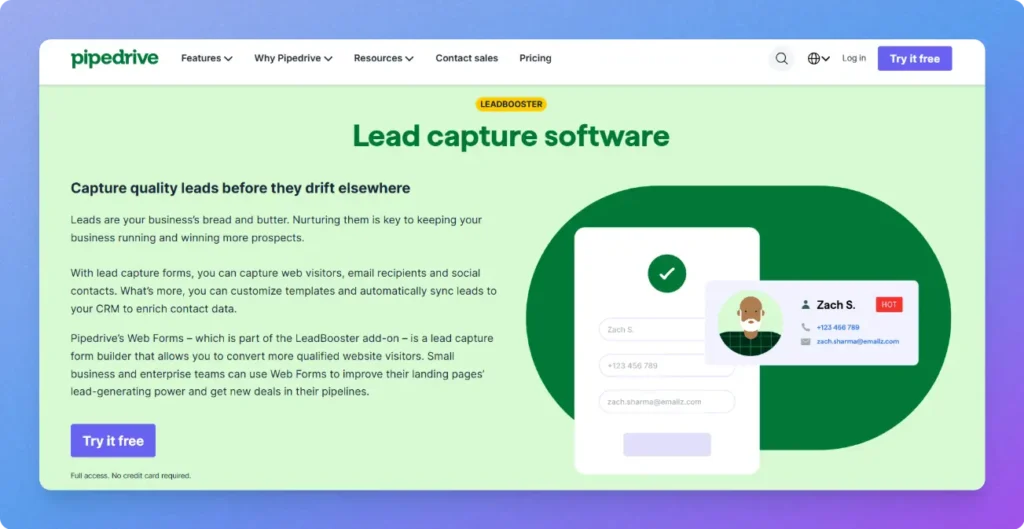
The process begins in the Lead Inbox which is a dedicated triage area designed to keep the primary pipeline clean. Leads can enter Pipedrive CRM through several sources like custom web forms embedded on a website, a native chatbot that qualifies visitors live, or inbound emails.
For instance, suppose a B2B SaaS startup receives 100 website inquiries per month. To avoid them getting mixed with active and high-value leads, they land in the Lead Inbox. A dedicated space to collect and qualify leads depending on various checkpoints. A sales rep can review the company size and budget, with a single click. Later on they can convert the qualified lead into an active deal, automatically creating a new contact profile and organization record.
Managing Deals
Once a lead is qualified, PipeDrive CRM or creates a dedicated visual card on the primary Kanban board for each lead. The board layout mimics a company’s specific sales funnel such as “Initial Contact,” “Demo Scheduled,” “Proposal Sent,” and “Negotiation.” The sales team physically drags cards from left to right as the deal progresses towards a final status.
The software uses color-coded scheduling signals where a red icon signals an overdue task and a green icon indicates an activity is due today. This visual pressure ensures that teams do not forget any deal unless an upcoming task is immediately flagged with a grey warning triangle.
Automating Follow-Ups

Behind the visual frontend, there is an automation engine that functions on simple “If/Then” logic to eliminate manual data entry. Instead of a salesperson manually drafting a welcome email or creating a task to check in after five days, the system handles it based on pipeline movement.
This automated workflow ensures consistent communication across the board, which is particularly beneficial for sales operations working without a dedicated CRM system.
Tracking Sales Performance
Being a hi-tech CRM platform, when deals are marked as “Won” or “Lost,” Pipedrive automatically reflects this data into real-time analytical dashboards as well. Managers can instantly view individual rep win rates, average sales cycle lengths, and historical conversion funnels to see exactly where revenues are dropping off.
Rather than waiting until the end of the quarter to assess performance, leadership can monitor live revenue forecasts based on deal values multiplied by their pipeline stage probability. This data allows companies to make immediate adjustments to their sales strategy, shifting resources to products or reps with the highest velocity.
Also Read: What will be the future of ERP software in AI era?
Benefits of Using Pipedrive
Easy to Use Interface
The primary reason teams really like Pipedrive is its incredibly low barrier to entry. Other platforms like Salesforce require months of specialized implementation and expensive admin certifications, but Pipedrive can be configured and deployed in a single afternoon. Its clean, minimalist design mimics a standard spreadsheet styled as a visual Kanban board. This intuitive layout means onboarding a new salesperson takes minutes rather than weeks, driving rapid software adoption across the team.
Also Read: Pipedrive CRM VS Capsule CRM: Features, Pricing & Winner
Faster Sales Processes
As discussed earlier, the system does not allow a deal to simply sit idle; it actively forces salespeople to schedule a specific next action whether that is a phone call, a follow-up email, or a contract review. By providing visual cues and highlighting deals that are not moving forward, the software eliminates the daily hesitation of “who should I reach out to next,” significantly accelerating sales velocity.
Better Visibility of Customer Interactions
Without a centralized CRM, customer interaction history is usually scattered across never ending personal text messages, isolated email inboxes, and physical notebooks. Pipedrive solves this by creating a single, comprehensive timeline for every contact and organization. The moment a sales representative opens a deal card, they see a complete chronological history of every email exchanged, internal note dropped, call logged, and document attached. If a primary account manager is out of the office, any other rep can step in and handle the account without missing a beat.
Automation of Repetitive Tasks
The system’s workflow builder acts like an invisible assistant for your front-line sales staff. Traditional sales persons spend twenty minutes drafting standard follow-up messages or updating status fields after a client call. Pipedrive handles it automatically based on custom triggers. On the ground, this capability is a game-changer for lean sales teams, allowing them to scale their outreach volume without requiring additional administrative hires to keep the data clean.
Scalable for Growing Businesses
As the operations expand, Pipedrive increasesits capabilities along with your organizational complexity without requiring a total software migration. It allows you to build out multiple independent pipelines, handle advanced custom field structures, and integrate seamlessly with over 400 external tools via its Marketplace. And, as a business transitions from simple front-office sales to enterprise-level operations, Pipedrive’s robust REST API allows it to connect reliably to complex backend accounting, shipping, and ERP modules.
Limitations of Pipedrive CRM
PipeDrive is Not a Full ERP Solution
The most critical boundary to understand is that Pipedrive is strictly a front-office CRM, not an Enterprise Resource Planning software. It is custom-built to optimize the customer acquisition process tracking conversations, scheduling calls, and moving leads to a closed won status. Once a contract is signed, Pipedrive’s native architecture stops. It doesn’t have any corporate general ledgers, human resource databases, or procurement modules like ERP software. Attempting to use it to run whole-company operations will inevitably result in severe operational bottlenecks.
Cannot Communicate With Factory after Closed Won Deal
For businesses that manufacture products, Pipedrive offers zero utility on the production floor. The platform cannot generate a Bill of Materials (BOM), manage shop floor scheduling, or track raw material consumption against production runs. The final result of any lead is to mark it as a win or a loss. If any sales rep marks a manufacturing deal as “Won,” Pipedrive cannot initiate that into a production order for the factory team. Managing production constraints, machine capacity, and labor hours requires a dedicated external system.
Catalogs Attached in CRM are not Connected to Live Inventory
Pipedrive does not feature a live, native stock-tracking engine. While you can attach simple product catalogs and fixed pricing tiers to individual deal cards, the system cannot track physical inventory across multiple warehouses, handle reorder thresholds, or calculate cost of goods sold (COGS).
Advanced Accounting Requires Integrations
While Pipedrive allows your team to generate basic invoices on its higher-tier plans, it lacks the fundamental machinery required for corporate accounting. It cannot handle double-entry bookkeeping, manage accounts payable, process payroll, or run complex depreciation schedules. To turn a closed deal into a compliant financial ledger entry, businesses must connect Pipedrive to specialized accounting platforms or robust ERPs through external middleware or native marketplace connectors.
Which Industries Can Benefit from Pipedrive?
Small Businesses & StartUps
Small businesses often struggle with fragmented communication, tracking leads across scattered spreadsheets, sticky notes, and personal email accounts. Pipedrive helps these lean teams with a highly affordable, structured environment that requires zero dedicated IT or database admins to maintain. The visual layout lets a business owner immediately see which deals are getting ignored and which require an immediate phone call, ensuring no revenue opportunity slips through the cracks due to administrative oversight.
Agencies
Whether handling digital marketing, design, or public relations, agencies run entirely on project-based sales pipelines with lengthy evaluation phases. This CRM software allows account executives to easily manage complex pitch cycles, store creative briefs directly inside client profiles, and track multiple stakeholders across different deal stages. The ability to create independent, custom pipelines means an agency can effortlessly separate their initial client acquisition funnel from their ongoing retainer renewal and upsell tracks.
Hospitality Industry
Hotels, luxury resorts, and event venue operators deal with a high volume of corporate bookings, destination weddings, and group reservations that require extensive multi-month coordination and data. At that moment staff feels the importance of a CRM dedicated to the hotel industry solutions. Rather than relying on rigid, legacy Property Management Systems (PMS) that fail to track histories, these businesses use Pipedrive to manage the initial inquiry-to-contract pipeline. The visual interface of PipeDrive CRM allows event coordinators to track catering requirements, room block negotiations, and deposit timelines seamlessly.
SaaS Companies
For Software-as-a-Service (SaaS) providers operating on recurring revenue models, tracking the early stages of product-led growth is vital. It integrates with product analytics and handles inbound trial sign-ups through its Lead Inbox which makes Pipedrive best sales software for any Saas platform. As we know it lacks deep, native subscription billing modules, its workflow automation lets B2B SaaS sales persons automate personalized outreach based on a potential customer’s trial status. It drastically shortens the time it takes to convert a trial user into a paying enterprise account.
Consulting Firms
PipeDrive works amazingly for consulting firms by acting as a single repository for every historical touchpoint, email string, and meeting note. It promotes deep customer visibility and allows senior consultants to step into active deals with complete context, ensuring that all client communications remain highly personalized and expertly informed throughout multi-month sales cycles.
Service-Based Businesses
From commercial cleaning operators to IT managed service providers (MSPs), service businesses must move high volumes of localized inbound leads through their pipelines quickly. Pipedrive fosters this conversion process through web forms and automated scheduling links that let clients book consultation slots directly onto a rep’s calendar. By automating the early scheduling and follow-up work, field technicians and service managers can focus entirely on delivering the actual service instead of wasting hours manually in coordinating calendars.
Also Read: How Custom ERP Improves Distribution and Logistics Operations?
Do Pipedrive Integrate with Other ERP Softwares?
While Pipedrive cannot act as your core operational system, its extensive Marketplace allows you to hook its sales engine directly into dedicated accounting and ERP systems. Through this you can ensure that your finance, procurement, and fulfillment teams are perfectly aligned with front-line sales data without manual oversight.
QuickBooks
Connecting Pipedrive to QuickBooks Online bridges the gap between your front-office sales activity and your core ledger. Instead of a sales manager emailing a PDF contract to the accounting team, moving a deal to the “Won” stage can automatically generate a matching draft invoice in QuickBooks.
Xero
Many small to midsize businesses rely on Xero for their primary accounting. Pipedrive here offers a native application that streamlines the lead-to-cash workflow. Once connected, sales reps can view historical Xero invoice payment statuses right inside the Pipedrive deal detail view.
Microsoft Dynamics
When an organization scales into enterprise territory, they choose to use a trusted ERP like Microsoft Dynamics 365 Business Central for heavy compliance and manufacturing. Because Dynamics 365 is notoriously complex for front-line sales reps to use, companies can keep their sales team in Pipedrive and use connectors like Skyvia or AppSource extensions to pass data towards Business Central. This setup allows your sales team to move fast inside a lightweight UI, while automatically syncing closed-won deals into Dynamics as official customer accounts and formatted sales orders.
Zapier
When a specialized ERP lacks a native app in the Pipedrive Marketplace, Zapier acts as the essential nocode middleman. By utilizing simple webhooks and triggers, you can build automation chains such as triggering a line-item data export every time a specific custom field is updated.
Trello and Asana
The transition of conversations to actual execution of the client’s project, is where most operational bottlenecks occur. By connecting Pipedrive to project management tools like Trello or Asana, the moment a contract is finalized, the system automatically provisions a brand-new project board or task list populated with the client’s explicit requirements.
Pricing
Pipedrive’s structure scales across four tiers when billed annually: Lite ($14/seat/month) for basic workspace organization, Growth ($24/seat/month) adding full email sync and automation, While Premium tier costs $49/seat/month which offers introducing contract e-signatures and custom data scoring, and Ultimate plan costs $69/seat/month which includes advanced security features and sandbox testing accounts.
Conclusion
Pipedrive remains one of the absolute best platforms in the market for what it was explicitly designed to do. Its primary advantages start from its radical simplicity and behavioral design. You should build your operational stack around Pipedrive if your primary business bottleneck is deal velocity and pipeline visibility.